
 Notes from the maker
Blog
Practical Mac guides, honest comparisons, and the occasional essay from the person building Droppy.

Droppy 16.1.2 beta 1: Command Center, floating player, Transform
Droppy 16.1.2 beta 1 brings the Command Center, the floating player, Transform and a smarter Thunderstorm to the beta channel, with hundreds of fixes.



Thunderstorm is open source. Read every line yourself.
Thunderstorm has been in Droppy since March. Today every line of it is public, with the timeline and a comparison anyone can run.

The same useful shelf, wherever you open your Mac
A MacBook on the train and a monitor at your desk need different shapes, but the files, clipboard and controls can stay familiar.

Droppy or Vorssaint? Start with how you use your Mac.
Vorssaint brings a broad, free toolkit to the Mac. Droppy connects your files, clipboard, media and iPhone through one working surface. Here is how to choose.

Useful Mac tools should say where the work happens
A local converter, a searchable clipboard and on-device transcription solve different tasks with one useful property: the processing happens on your Mac.

From Downloads to done: a better Mac file handoff
A file from Downloads, an image from Finder and a link from your browser. Gather them without losing your place, then make one deliberate handoff.

A calmer Mac workspace, one session at a time
Give the session a name, choose a realistic timer and keep music within reach. A small Droppy setup for work that deserves your attention.

A calmer setup before you start talking
Read from near the camera, check your framing before the call, and keep the display awake. Three small preparations that make presenting less distracting.

Keep the useful parts of your research
A practical research loop: collect a passage, keep its source, read text from an image and turn your own spoken thoughts into a useful note.

Keep the music close and your work in front
Transport controls for the song, lyrics when you want them, and a separate level for every app. A music setup that does not keep pulling you away from work.

Make feedback someone can actually act on
A screenshot for the detail, a recording for the sequence, and one clear next step. A practical feedback workflow built around Element Capture.

A place for everything between one task and the next
The file you are about to send, the text you just copied, the song that is playing. Droppy gives the in-between parts of work a home.
Droppy 16.0.1: a new media player, AI plan limits and fixes
Droppy 16.0.1 redesigns the media player after the iPhone's, shows your AI plan limits in the notch, imports clipboard history from four apps and fixes two crashes.
Droppy 16: the biggest update yet
Droppy 16.0 is the biggest update yet: a public Droplet Store, DroppyKit, screen recording, a full Spotlight replacement and faster, lighter native macOS features.


Control your Apple TV from the top of your Mac
Pair once with a PIN, and whatever the Apple TV plays sits in your notch with its controls, its lyrics and your Mac's volume keys.

Every Droppy droplet, and what each one is for
All 38 droplets in the Store, grouped by what they do, with the handful worth switching on first.

Thunderstorm now runs Raycast extensions
Install extensions from the Raycast Store inside Droppy's launcher, or bring the ones you already use. Here is exactly what runs.

Droppy vs Raycast: a launcher, or the whole top of your Mac
Raycast is the deeper launcher. Droppy does far more around it, for a one-time price. Where each one wins, and when to run both.

Droppy vs CleanShot X: screenshots, recordings, and what comes next
CleanShot X is the specialist. Droppy's Element Capture captures single UI elements and now records the screen, inside an app that does far more.

Build a droplet: SwiftUI that draws on Droppy's own surfaces
What external developers can build, how the scaffold lays a package out, why the bundle is a dynamic library, and how to run it before anybody reviews it.

Find, install and update community droplets
Find tools by other makers, understand the install prompt, and know when an updated droplet needs a restart.

Which surface, and how to make it look like part of Droppy
Choosing the smallest surface that answers the question, and the numbers the host already handles so you do not pad for the camera housing twice.

Mac Duo: your screen moves with the lid
The screen retreats into the top edge as you close the lid and comes back as you open it. What it needs, what it costs while it waits, and where it stops.

From your repository to Droppy's Store
One folder in a repository, one merge request, and a human who reads it. The chain from your checkout to a signed build on a stranger's Mac, step by step.

One Droppy license, a dozen jobs: what it replaces
The jobs Droppy does that people usually buy separate apps for, what those apps cost, and where a separate app is still the better call.
Droppy 15.2.2 beta 1: the complete update, installable again
Droppy 15.2.2 beta 1 carries the complete capture, Google Calendar, clipboard and live HUD update, rebuilt so it installs from every earlier version, with the Settings freeze and crash fixes.

Droppy vs Boring Notch: free and open, or signed and wider
Boring Notch is free and open source, and good at music and the basics. Droppy covers much more ground, signed and supported, for $9.99 once.
Droppy beta 2: Capture, Calendar and crash fixes
Droppy 15.2.1 beta 2 includes the complete capture, Google Calendar, clipboard and live HUD update, with repaired installation and important crash fixes.
Droppy 15.2.1-beta.1 has been withdrawn
Droppy 15.2.1 beta 1 was withdrawn after installation failures. Its capture, Calendar, clipboard and HUD improvements are included in the replacement, beta 2.
Droppy v15.2.0-beta.1: A much bigger Droppy
Droppy 15.2 beta 1 rebuilds the clipboard and Shortcuts panel, adds Ring and Emoji Picker, expands screenshot tools and live sync, and cuts unnecessary RAM and CPU work.

The emoji picker your Mac never had
A shortcut or a text trigger, your skin tone remembered, your own search labels, and a choice between paste and copy. Why the built-in picker loses.

Droppy on your iPhone Home Screen and Lock Screen
Any droplet as a Home Screen widget, a dedicated Now Playing widget, and Mac timers that live in the Dynamic Island. What shipped in iPhone app 2.0.

Ring: one shortcut, a ring of Mac actions
Hold one shortcut and a ring of buttons opens. Glide, let go, done. Presets for capture, tiling and dictation, plus apps, macros and macOS Shortcuts.

Send anything from your iPhone to your Mac
My Droppy in the share sheet lands anything on the Mac's Shelf, Basket or clipboard, and waits if the Mac is asleep. Or get a Cloud link back instead.

Control your Mac from your iPhone
Volume, output device, music, meetings, Pomodoro and High Alert, all from the phone. Five droplets steer the Mac, and three more only watch it.
One radial menu for every capture
Droppy 15.0 beta 8 puts every Element Capture mode on one radial menu, rebuilds the screenshot editor on Settings glass, and keeps external-display HUDs from sitting empty.



Capture any UI element on your Mac and mark it up
A single button, a window, an area, a scrolling page. Hold one shortcut, glide to the mode, and the editor with arrows, blur and clean backgrounds is waiting.

Sync your clipboard between Mac and iPhone
Universal Clipboard is a hand-off, not a history. How Droppy keeps everything the Mac copied on the phone, and how the phone sends things back.

YouTube Music in the Mac notch, with Kaset
A community droplet by Anurag Deshpande brings YouTube Music to the notch, with queue browsing, likes and Discord Rich Presence you can switch off.

Clipboard cards that take real keys
Droppy 15.0 beta 7 gives clipboard cards real keys, keeps the notch from quitting on macOS 27, and turns the edge sliders into clear glass.

Pair your iPhone with your Mac, end to end encrypted
One code, scanned once. The key rides inside it and never touches a server. The full pairing walk-through, and what the encryption actually promises.
Droppy v15.0.0-beta.6: YouTube Music in the notch
Droppy 15.0 beta 6 brings Kaset, a community droplet that puts YouTube Music in the notch, Discord Rich Presence for your music, and a big Mac stability pass.

Droppy for iPhone: your Mac's library in your pocket
The companion app is on TestFlight and 100% free, now and always. See what syncs and which droplets run on the phone.
Droppy v15.0.0-beta.5, and Droppy for iOS with it
Droppy 15.0 beta 5 rebuilds the update flow into Settings, opens Droppy Sync to everyone, and brings Droppy for iOS to TestFlight, free to use.

Build the shelf you want: widgets, order and widths
Right-click, Customise Shelf, and drag in up to four widgets. How the editor works, what you can put there, and layouts that work.

Per-app volume control on the Mac
One system slider is not enough. Audio Control gives every app its own volume in the notch, remembers the levels, and controls the Mac's output from your iPhone.
What you can do in Droppy 15.0 beta 4
Droppy 15.0 beta 4 brings the Audio Control droplet, Google Drive in Droppy Cloud, deep droplet search, and fixes for the times Droppy came up dead.

Thunderstorm: a Spotlight that acts on what it finds
Spotlight finds things. Thunderstorm finds them and then renames, reveals, quits, uninstalls, ejects and restarts, and searches your clipboard, OCR and notes too.

CPU, memory, battery and the weather, one glance up
Two stat cards with history graphs, or all six with Superstats, and the forecast beside them. They sample only while on screen, so the battery pays nothing.
What you can do in Droppy 15.0 beta 3
Droppy 15.0 beta 3 is the first public build of the v15 line: a new droplet, dictation in any app, ten more languages, and a much quieter Mac.
What Intel Mac owners should do now
Golden Gate is Apple silicon only. The last Intel Macs stay on Tahoe with security updates. Keep, buy used M1, or replace.
Is 8GB of RAM enough on a Mac in 2026
The MacBook Neo is locked at 8GB. Apple Intelligence wants 12GB for its largest on-device model. When 8GB still works, and when it does not.
MacBook Neo vs MacBook Air: which Mac to buy
The Neo starts at $699 after June's price hike. The M5 Air starts at $1,099 with 16GB. Here is the honest 2026 split.
Should you install the macOS 27 public beta
Apple seeded Golden Gate public beta 3 on August 11. Who should install it now, who should wait for fall, and how to check compatibility.
Where Siri AI actually runs on your Mac
On the device, on Apple's servers, or on Nvidia GPUs in Google Cloud. What Apple promised, and what you can still choose.

Droppy vs Dropover: two ways to hold a file mid-drag
Both catch a file mid-drag with a shake. Dropover goes deeper on shelves; Droppy puts the shelf in the notch and does far more around it.

Watch Claude Code and Codex work from your notch
A live HUD for Claude Code, Codex CLI, Cursor, Antigravity and OpenCode. Tool calls, the file being edited, lines changed. Reads your own logs, sends nothing.

Window tiling on the Mac without a second utility
Halves, quarters and thirds by shortcut or by drag, padding between windows, reserved edges for a dock or overlay, and it works across every display.
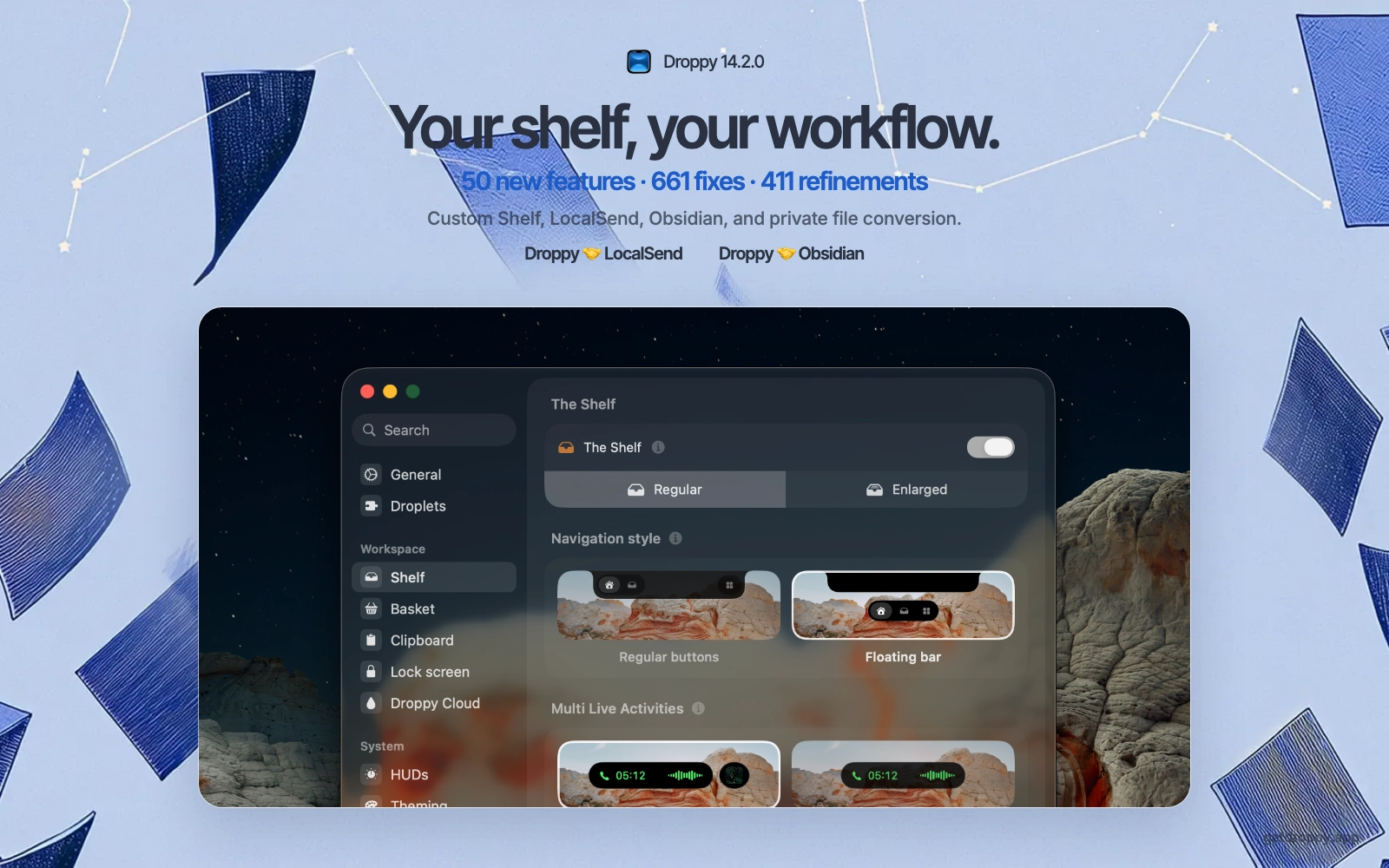
LocalSend and Obsidian join the shelf
Droppy 14.2.0 adds LocalSend, Obsidian, Converter, and Custom Shelf editing, backed by the largest bug-fixing pass I have shipped.
What you can do in Droppy 14.2 beta 4
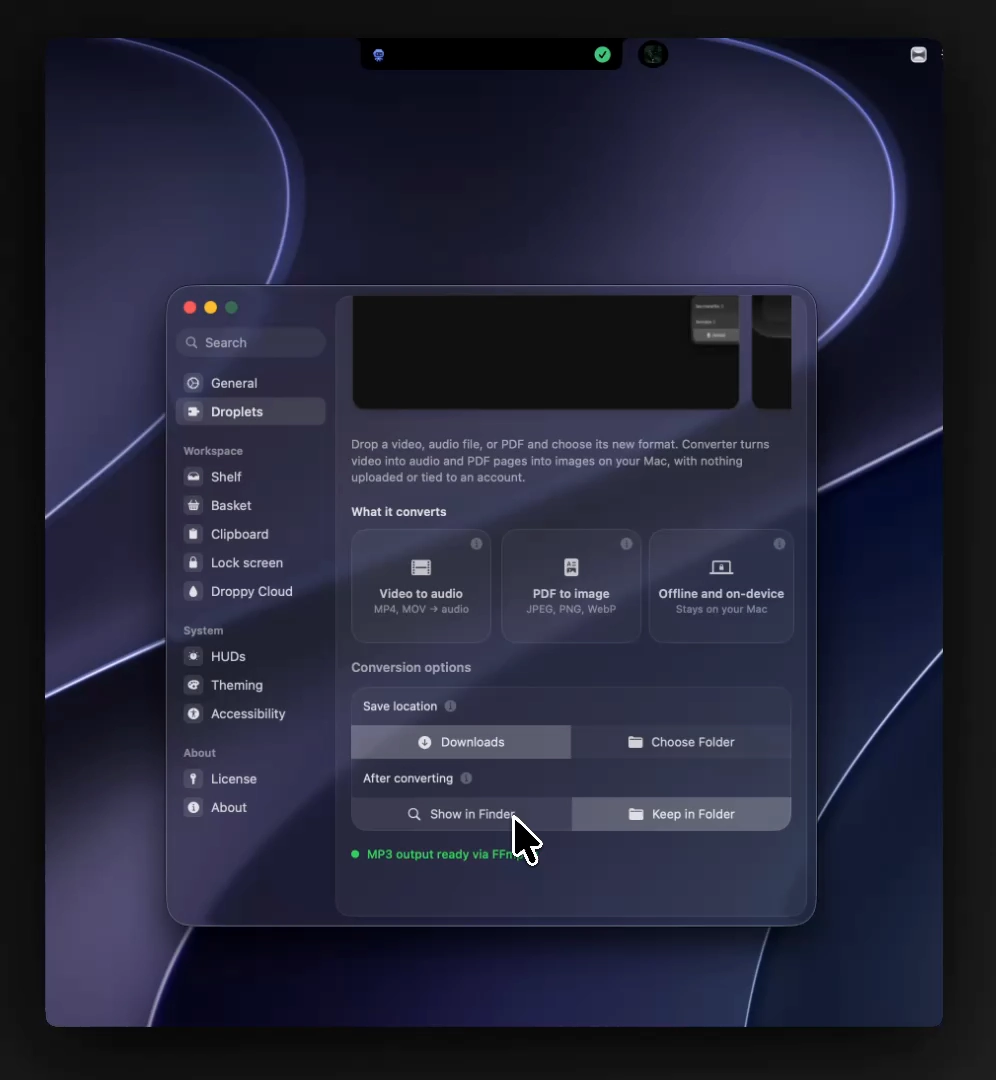
Droppy 14.2 beta 4 adds the Converter and LocalSend droplets, quiets notifications during Focus, and closes out hundreds of reported bugs.
Droppy vs NotchNook: an honest comparison
Widgets for the notch, or a workspace at the top of your Mac. Files, media, everyday tools and price, category by category, bias declared upfront.


Droppy vs Alcove: minimal or maximal?
Alcove is the most native-feeling notch app, Droppy the broadest. The case for each philosophy, and the five jobs restraint leaves out.

The MacBook Ultra may retire the notch
Apple is rumored to swap the notch for a hole punch and bring the Dynamic Island to the Mac. What the reports actually say, and why Droppy already fits every shape.
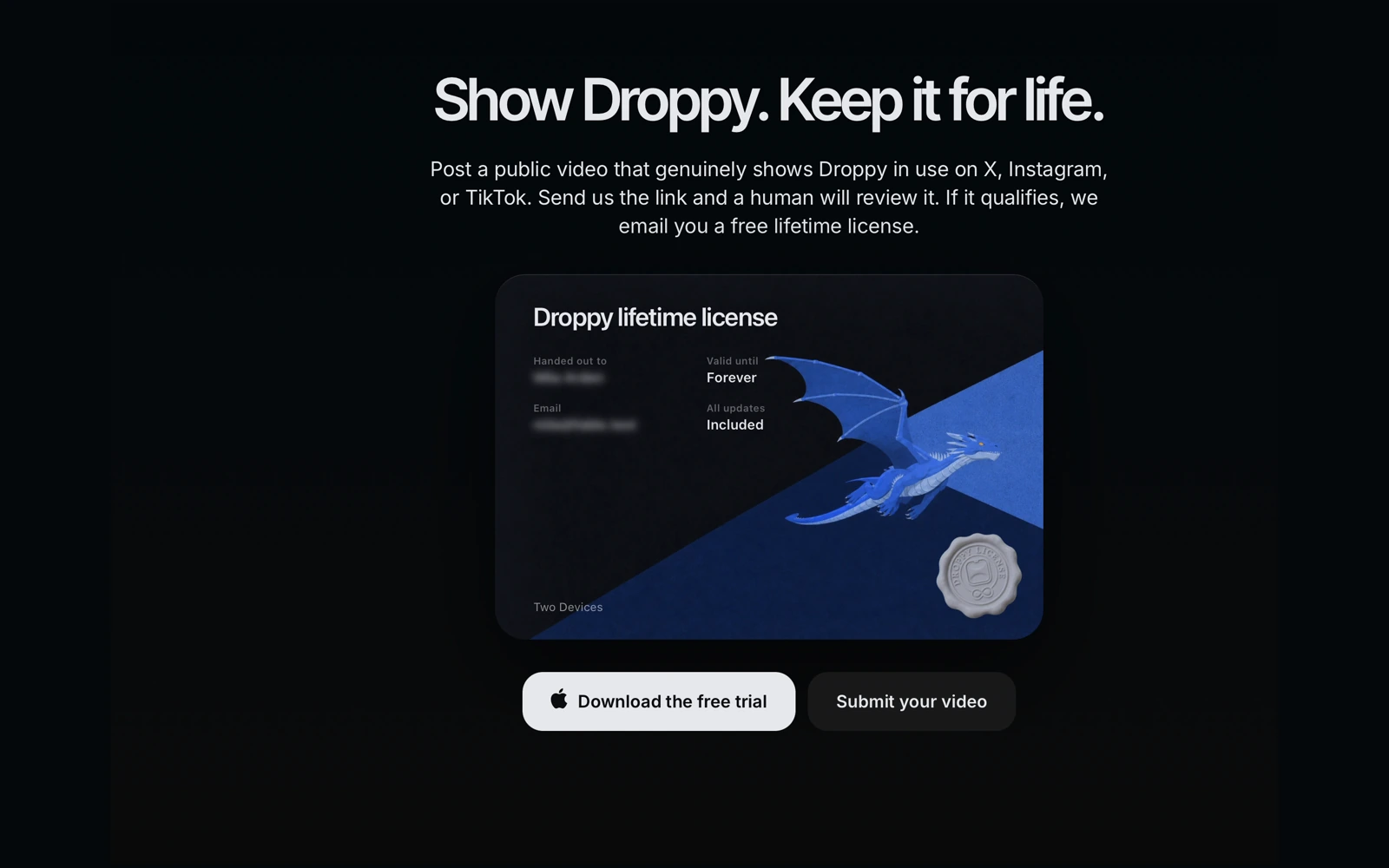
Show how you use Droppy and earn a lifetime license
Post a genuine public video showing Droppy on X, Instagram, or TikTok, send me the link, and you can earn the complete app for life.
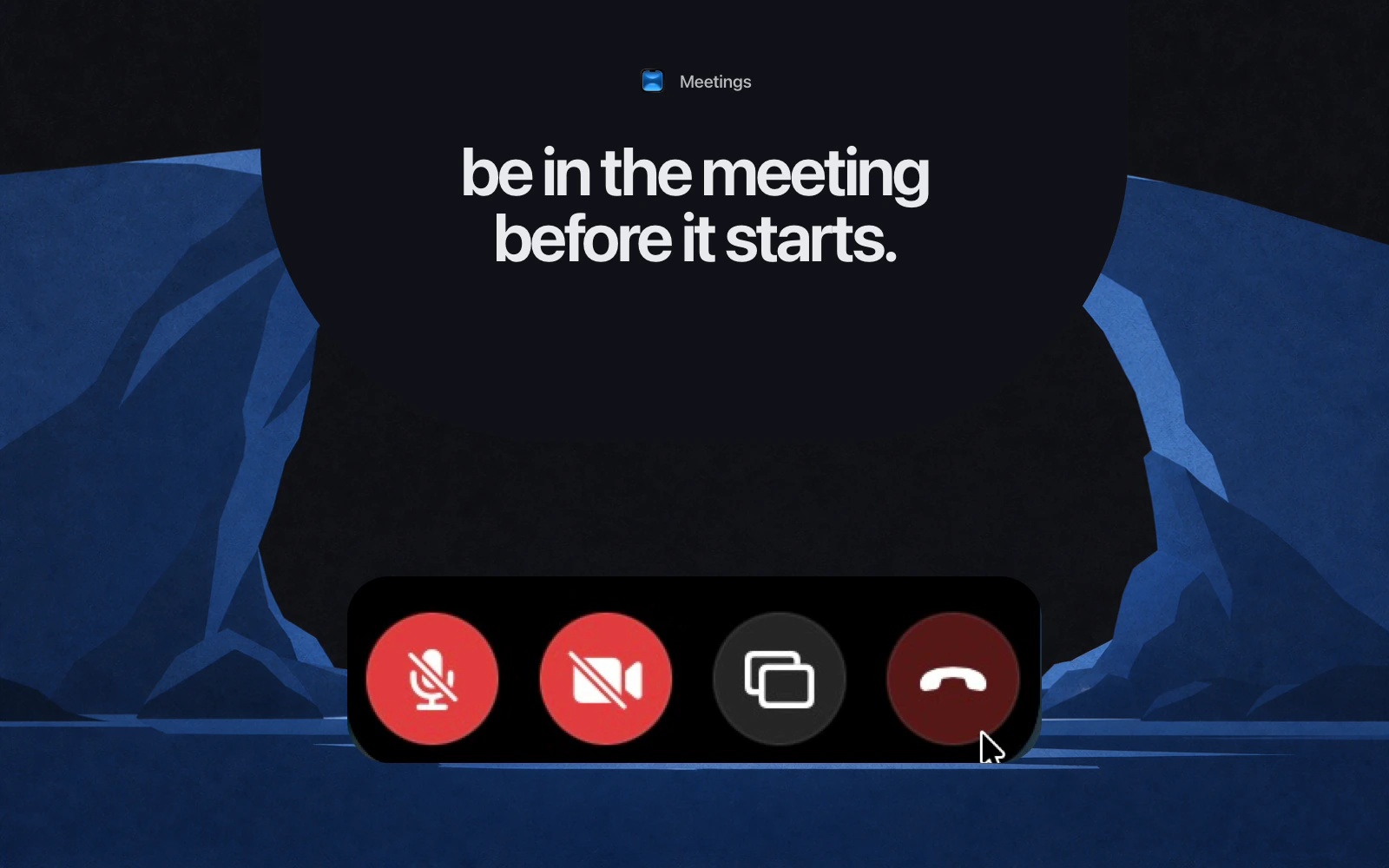
Join a meeting without hunting for the link
Open the call from the top of your Mac, watch the time left on a ring, and put mute, camera, and share on keys you actually remember.
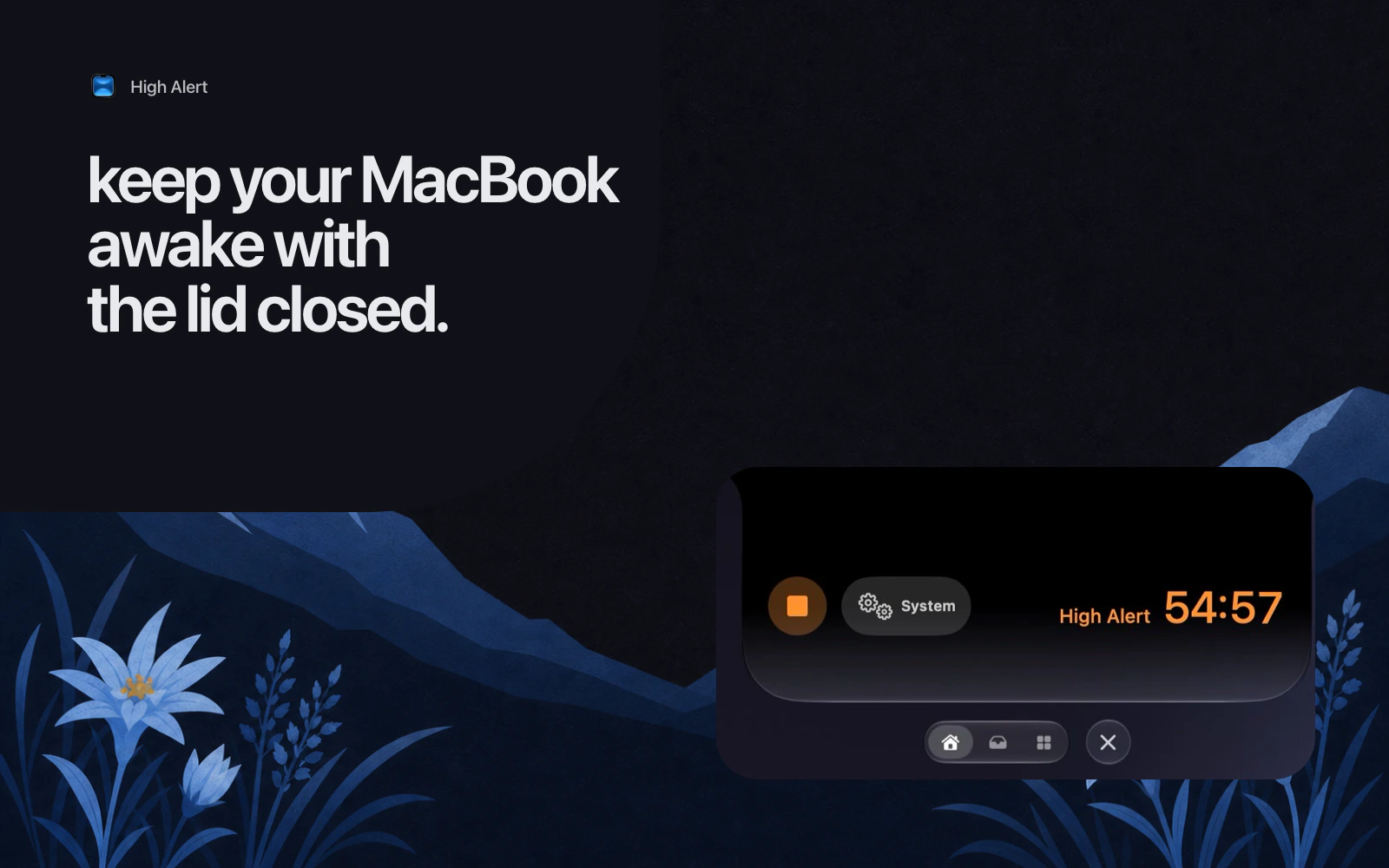
Keep your MacBook awake with the lid closed
What really keeps a MacBook running with the lid shut, why the Terminal sleep flag traps people, and how to run an override you can see and undo.
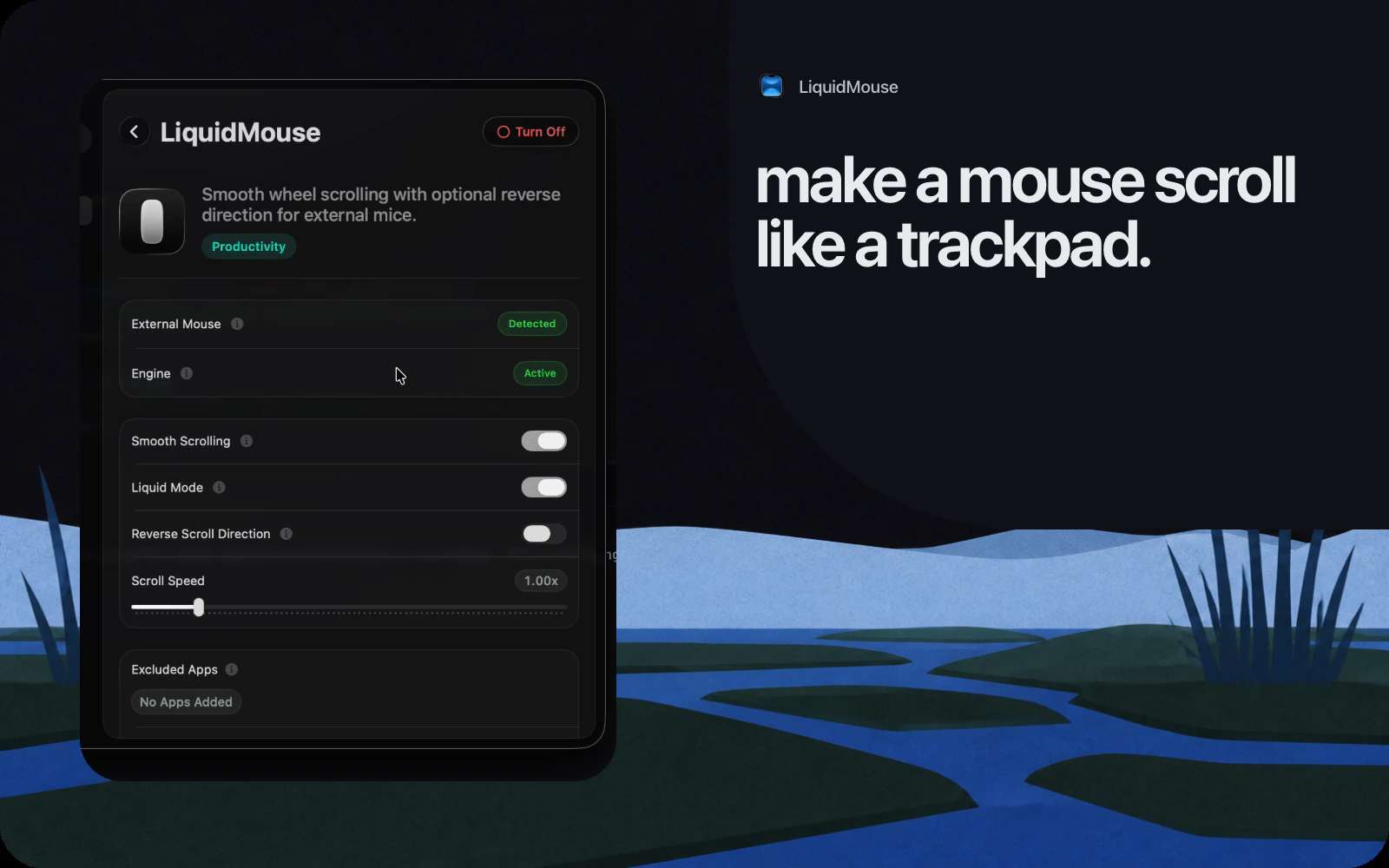
Make an external mouse scroll like a trackpad
Why a wheel feels steppy next to a trackpad, what System Settings can and cannot change, and how to tune a smoothing layer per axis.
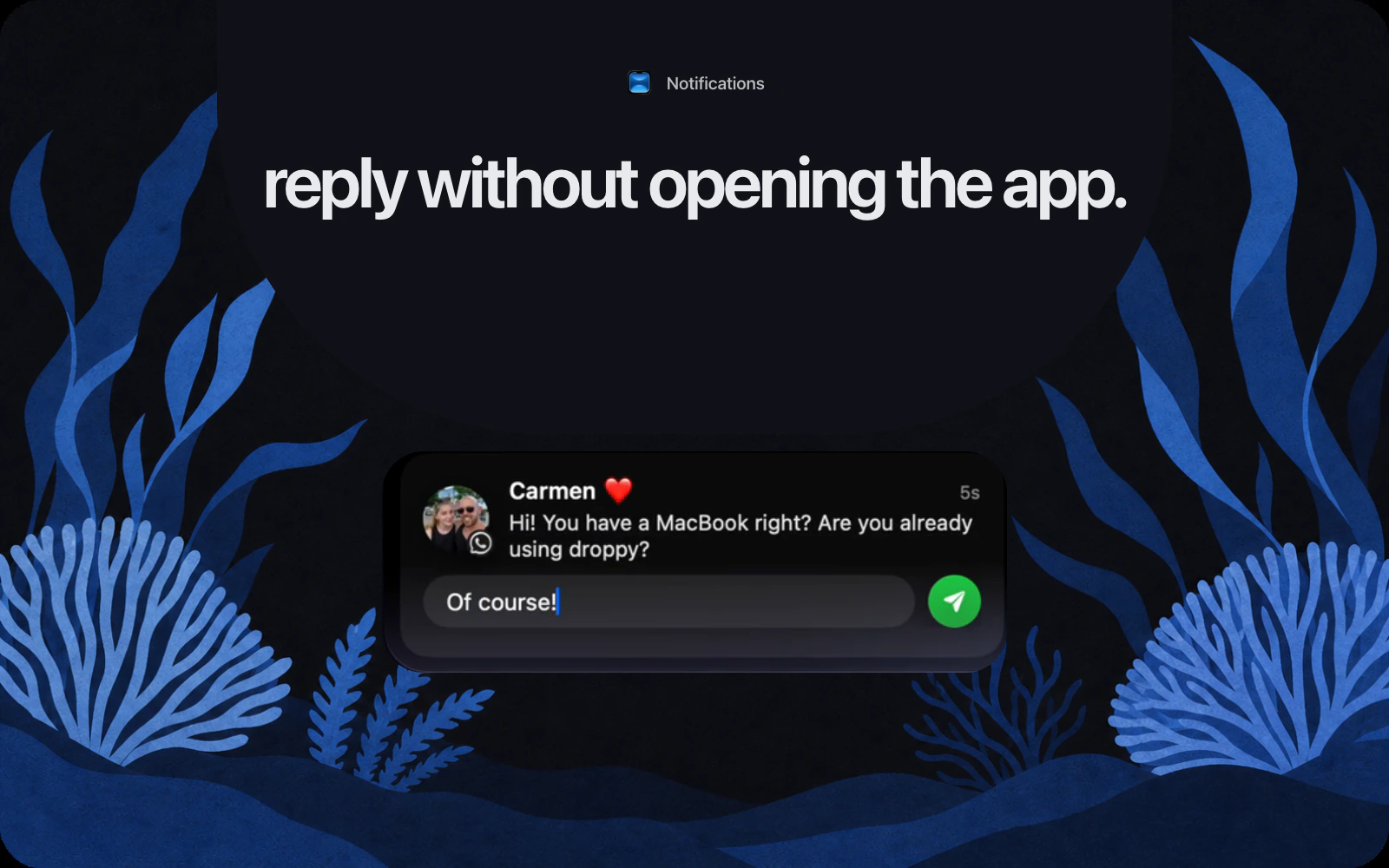
Reply to a message without opening the app
macOS only lets you answer Messages banners. Droppy adds a reply field for iMessage, WhatsApp, and Telegram, in the banner and in the widget.
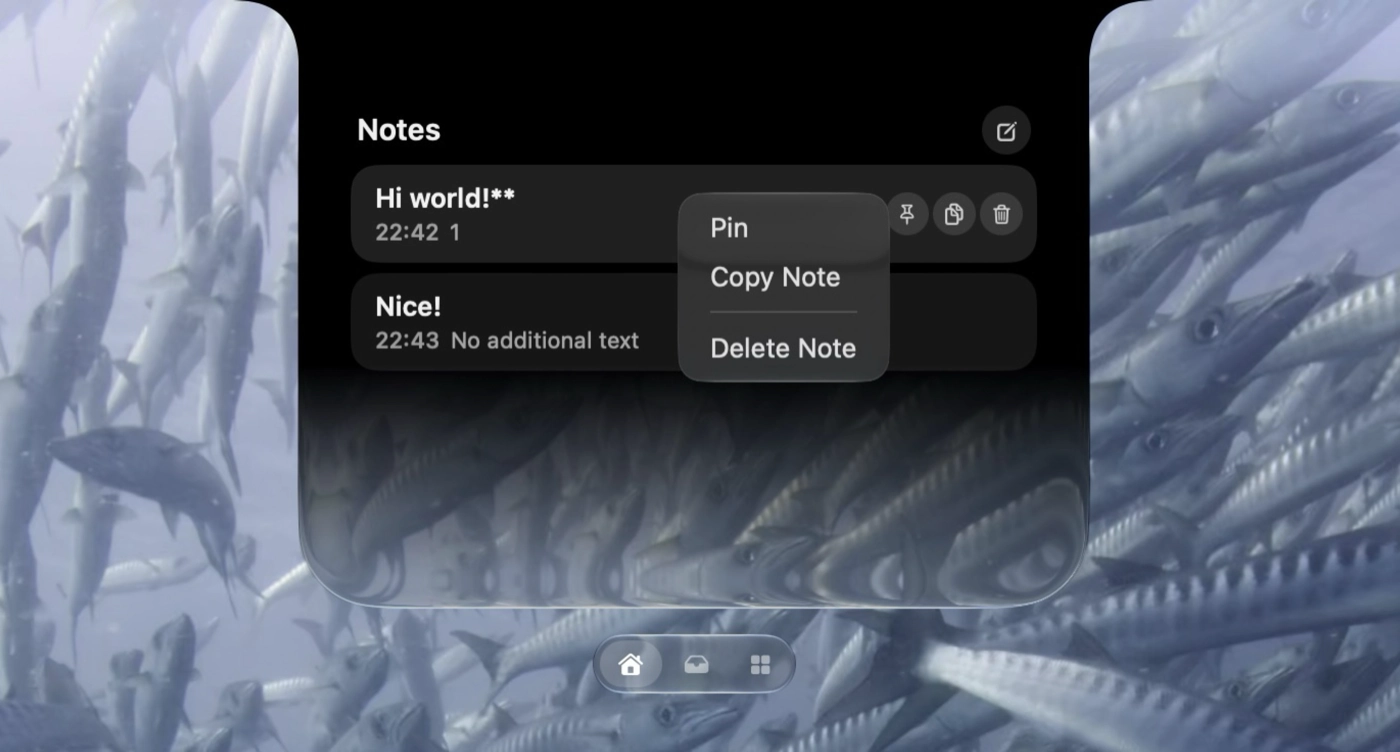
What you can do in Droppy 14.2 beta 3
Droppy 14.2 beta 3 is a small hotfix: a black Notes editor, a License page crash, and a solo Media shelf that was too wide.
What you can do in Droppy 14.2 beta 2
Droppy 14.2 beta 2 rebuilds onboarding, makes the notch surfaces move as one, and adds calendar activities, Telegram replies and lid-closed High Alert.
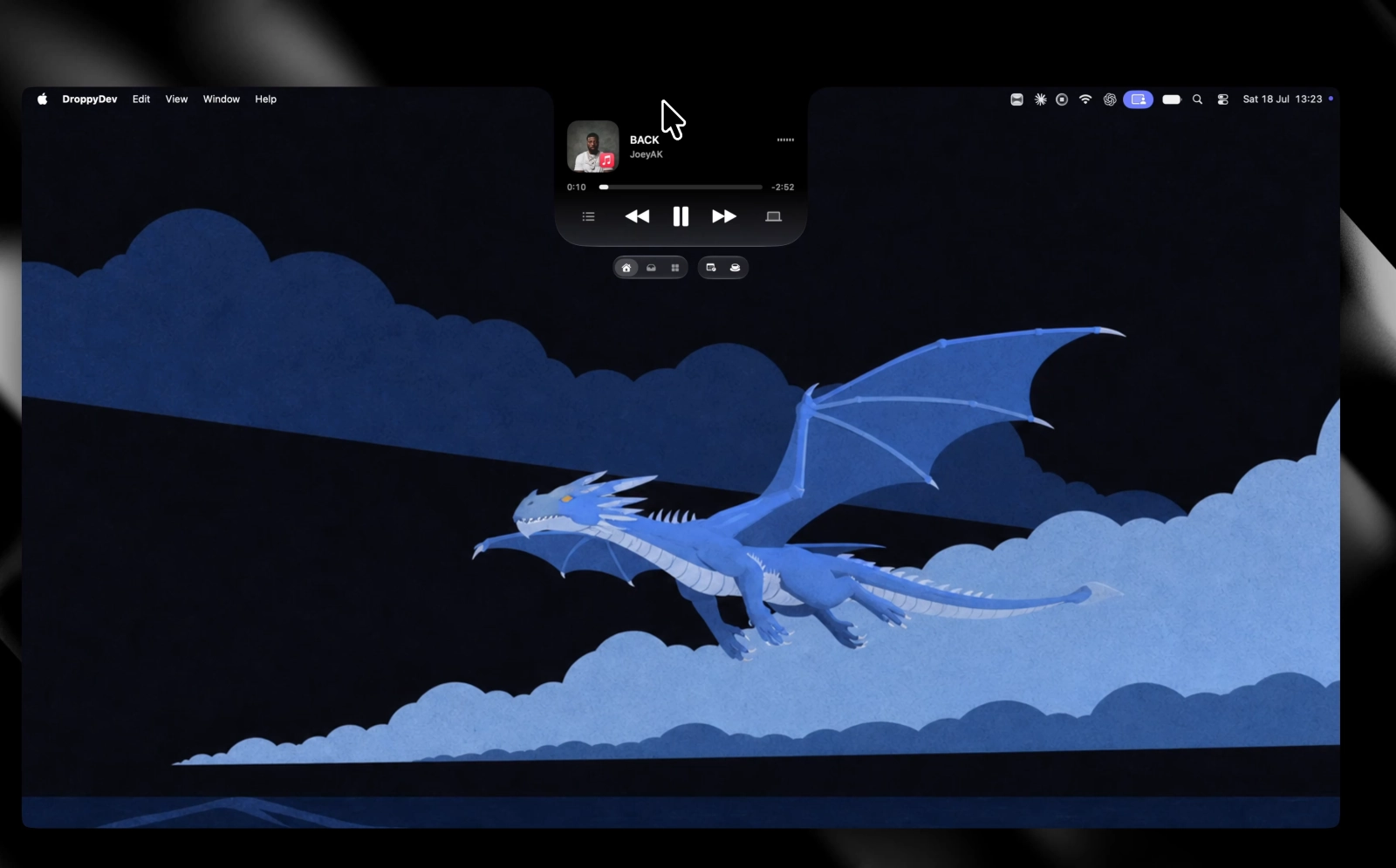

Copy text from a screenshot on your Mac
Extract text from screenshots, images, and scanned PDFs on your Mac, then skip the result window with OCR Auto-Copy.
A Pomodoro workflow that survives a real workday
Choose one clear outcome, give it a realistic interval, protect the middle, and take a break that actually changes your state.
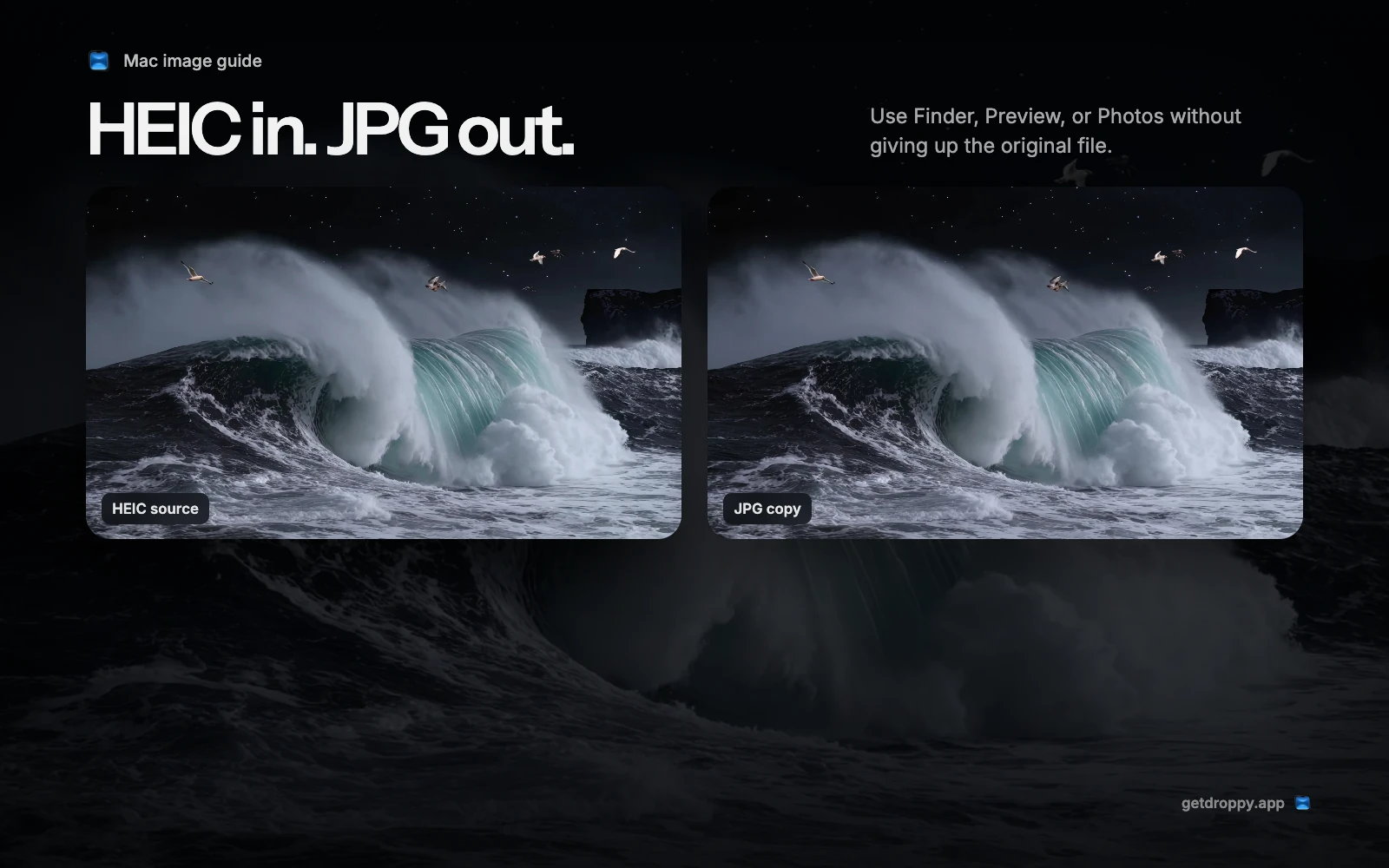
How to convert HEIC to JPG on Mac
Use Finder for the fastest copy, Preview for precise export, or Photos when the image already lives in your library.
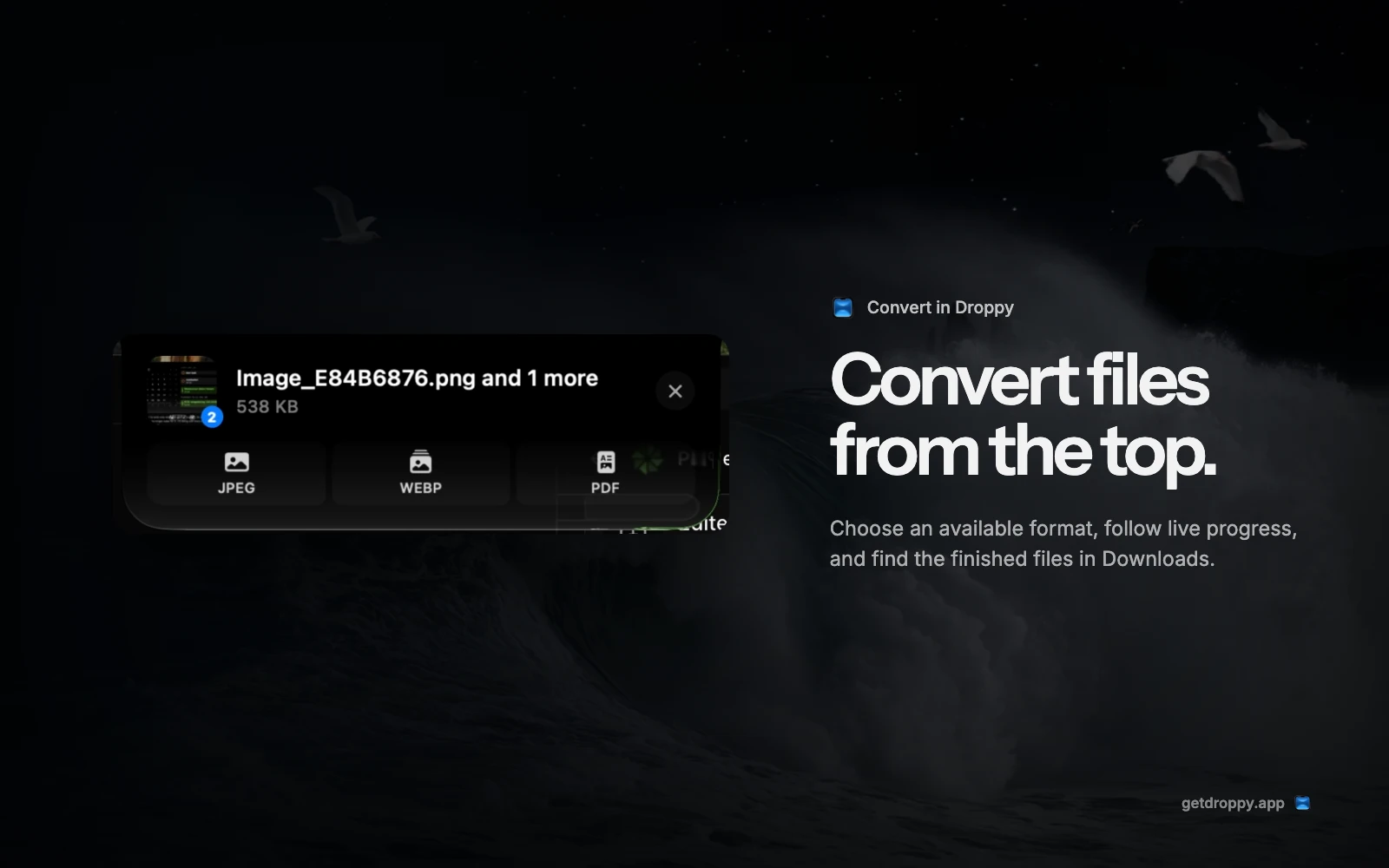
Convert files from the top of your Mac
Drop a file into Droppy's Convert action, choose a format that fits the selection, and collect the finished copy in Downloads.
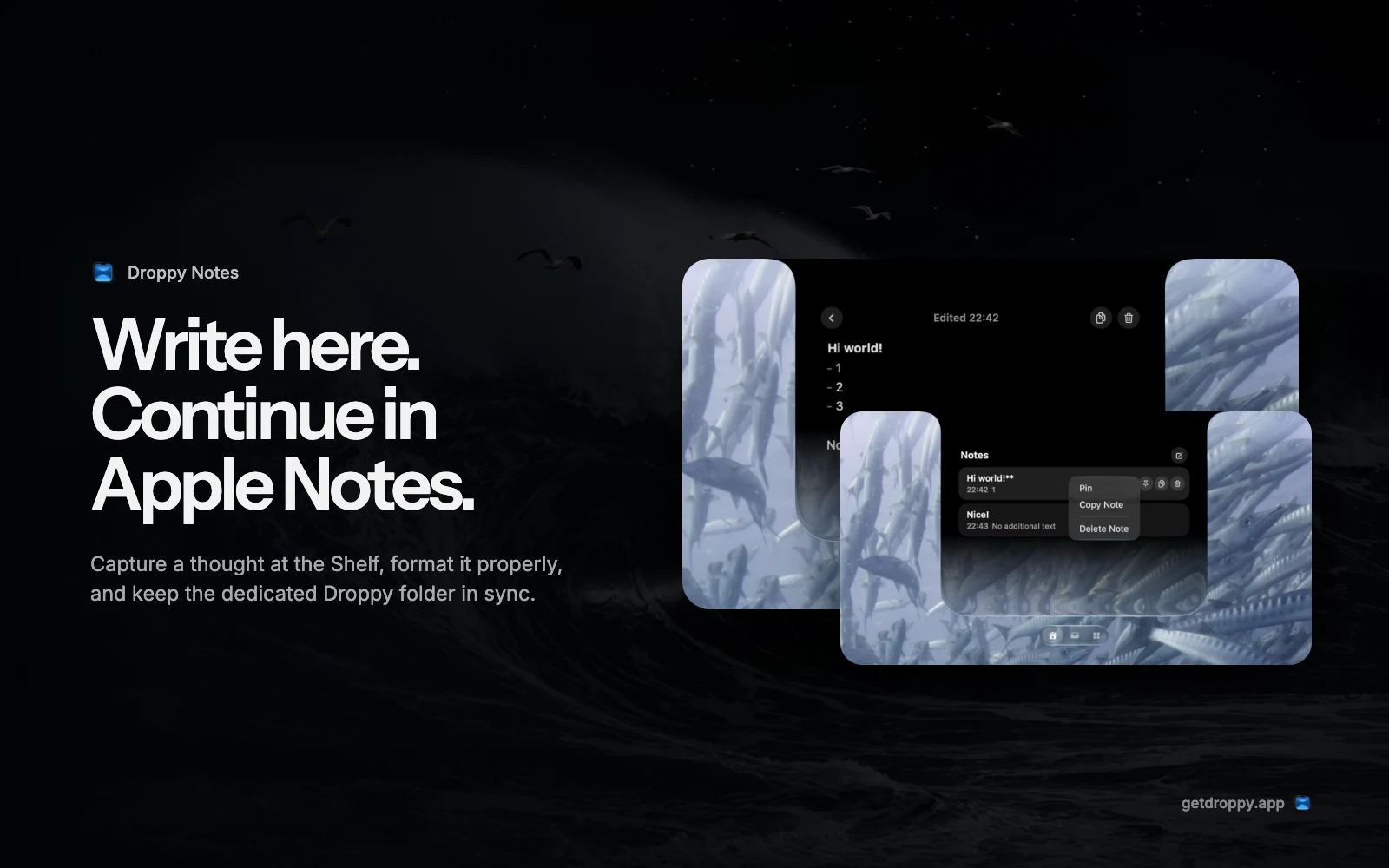
Write a note at the top of your Mac
Capture a thought in Droppy's rich note editor, keep important notes pinned, and sync the dedicated Droppy folder with Apple Notes through iCloud.
How to organize your Downloads folder on Mac
Sort by Date Added, file by next action, use tags for status, and turn Downloads into a short queue instead of permanent storage.

Turn a voice note into text without sending it away
Record or import audio, transcribe it locally with Whisper or Parakeet, and choose exactly how long the recording stays on your Mac.
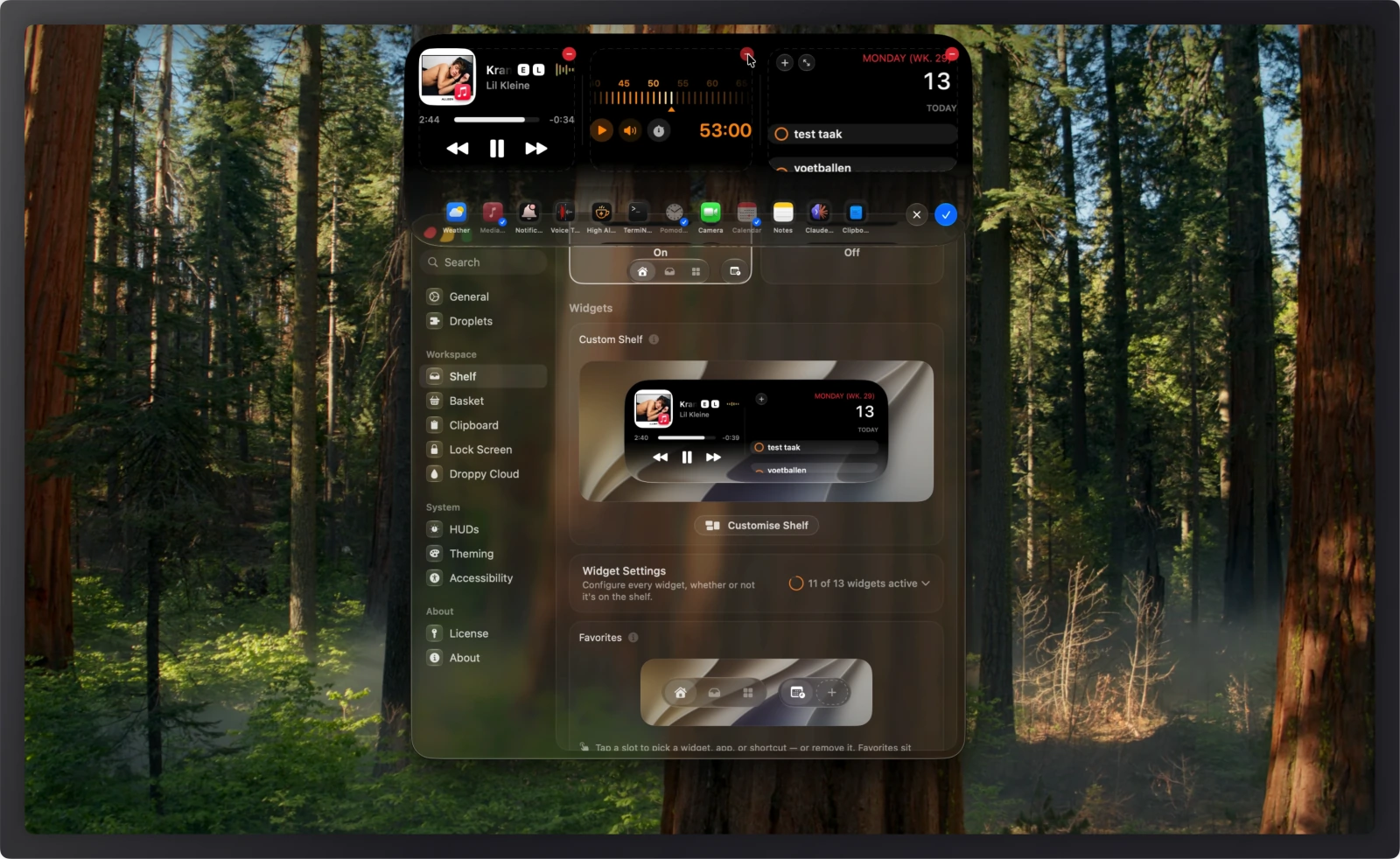
What you can do in Droppy 14.2 beta 1
Droppy 14.2 beta 1 hands you the Shelf layout, the Quick Actions row, richer Notes, the Apple Music queue, and an updater that can undo itself.
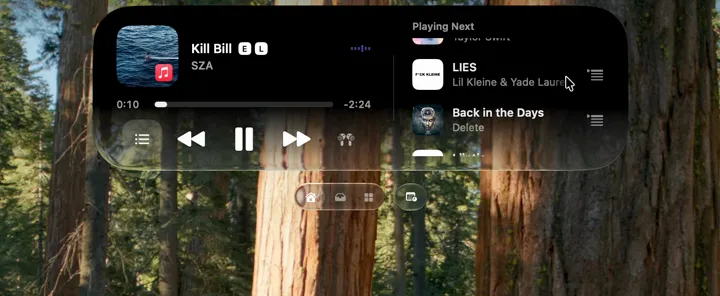
Control Apple Music from the top of your Mac
Open Playing Next, choose the media buttons you use, route music over AirPlay, and bring live artwork, lyrics, and playback controls to the Lock Screen.
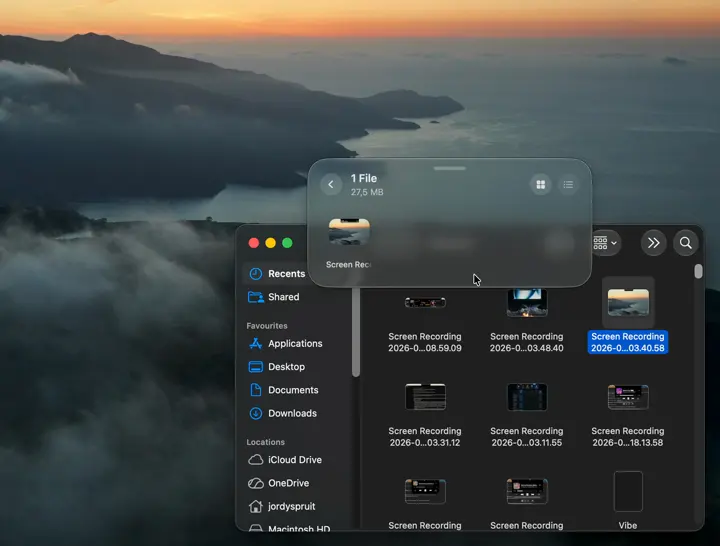
The Basket: a better place to put files while you work
Catch a file mid-drag, keep project piles separate, and finish organizing screenshots, attachments, and downloads when the destination is ready.

Clipboard history on the Mac: copy now, find it later
Keep text, images, and files searchable after the next copy, with pins and boards for the material you use again.
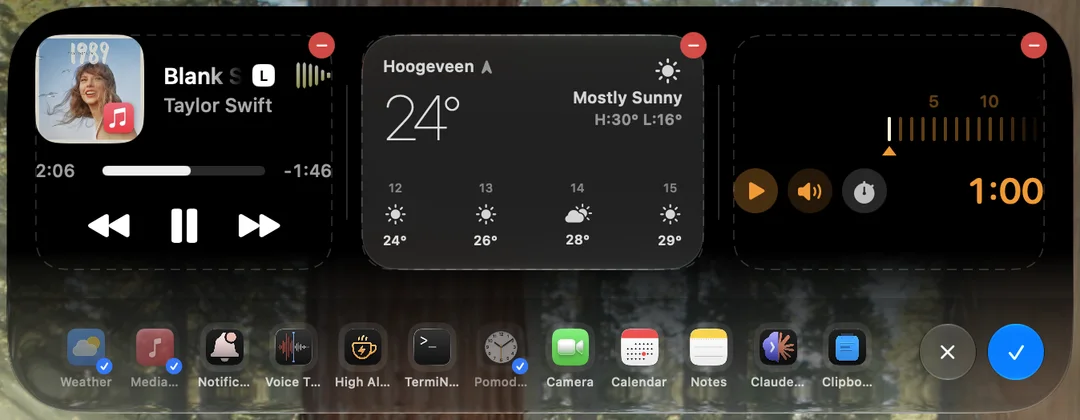
The Shelf: one place for files, widgets, and whatever comes next
Give files, clipboard history, media, timers, and the widgets you actually use one stable home at the top of any display.
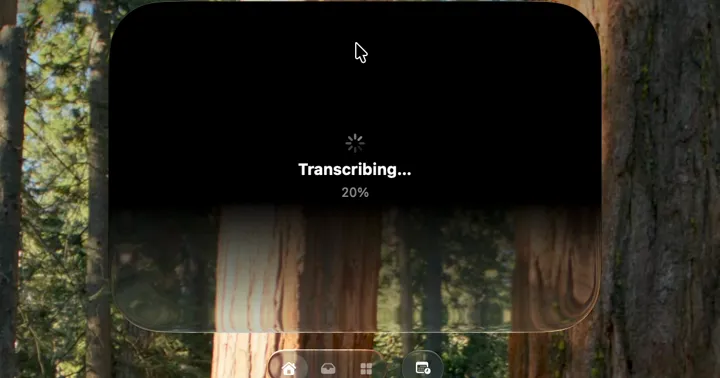
Droplets: add the Mac tools you want, leave the rest off
Add focused tools for windows, meetings, files, media, timers, and transcription without crowding the core app.
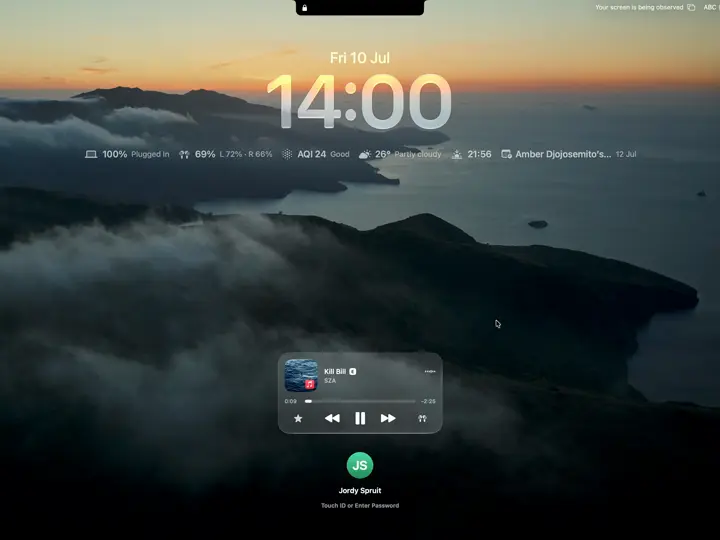
A Mac Lock Screen that is useful before you log in
Add album art, media controls, timed lyrics, status widgets, and custom volume and brightness controls around the existing Mac login.
The best Mac notch apps in 2026, compared honestly
Alcove, NotchNook, Boring Notch, Atoll, DynamicLake, and Droppy, compared from current product pages and release notes. Where each one wins, where each falls short, and which one fits how you work.
Droppy Alcove
 NotchNook
 The Boring Notch
 Atoll
Atoll DynamicLake
Dynamic Glass: the look of Droppy
Why a notch app has to be made of glass, not a solid panel. Droppy's Dynamic Glass is one continuous reactive surface that picks up whatever is behind it.
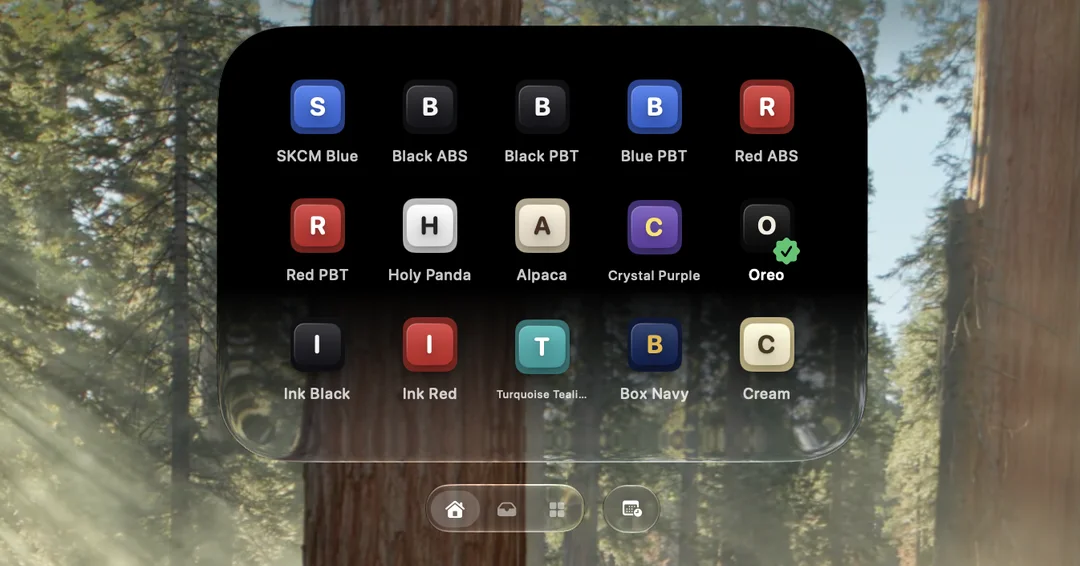

The Mac keyboard shortcuts worth actually memorizing
Not another list of 200 you'll forget. The dozen keys that actually earn the muscle memory, ranked by how often you really press them.

The complete guide to Mac screenshots
Every capture combo, the window-shadow trick, the floating thumbnail you can drag straight into a doc, and where the files really go.
12 things your MacBook notch can actually do
The black cutout at the top of your screen can hold files, control music, show timers, and more. A tour of what's possible in 2026, with and without extra software.

Spotlight, Raycast, or Alfred: picking a Mac launcher
Spotlight is free and already installed. Raycast rents you an ecosystem. Alfred sells you power once. An honest look at which one fits how you work.

Synced lyrics in your Mac's notch, and on the lock screen
Timed lyrics beside whatever your Mac plays, following the song line by line, in the notch and on the lock screen.

Your Mac's volume HUD hasn't changed in 20 years. It shows.
The translucent square that appears when you press a volume key predates the iPhone. On why macOS overlays stagnated, and what a modern take looks like.
Focus modes on the Mac that actually stick
Most people set up a Focus once, get it wrong, and give up. The triggers and filters that make it turn itself on and actually change your day.
Dynamic Island on the Mac: how to get it, and whether you should
Apple never brought the iPhone's Dynamic Island to macOS, so third-party apps did. What translates well to a laptop, what doesn't, and how to set it up.
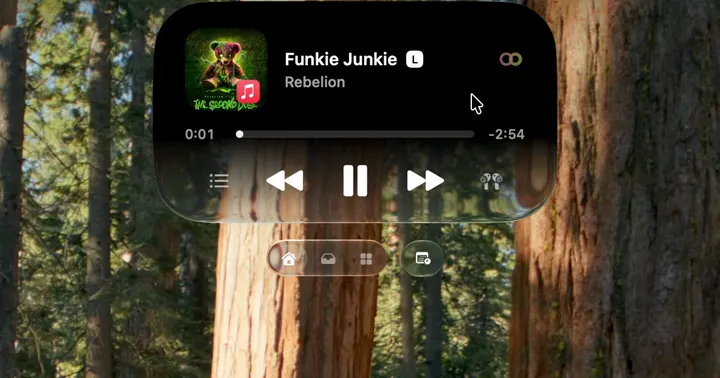

Getting your Mac ready for macOS 27 Golden Gate
A calm, practical checklist before you hit the update button: backups that actually restore, app compatibility, and the settings worth reviewing on day one.
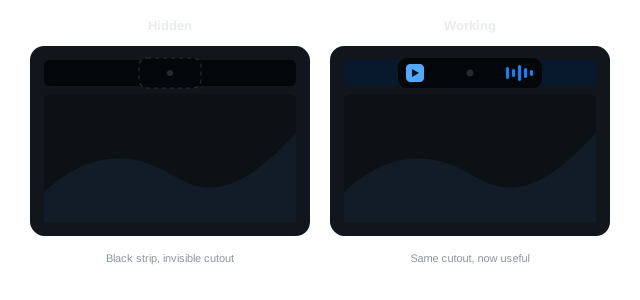
How to hide the MacBook notch (and when you shouldn't)
Every way to make the notch disappear, from a free wallpaper trick to display scaling, plus the honest case for leaving it visible and putting it to work.
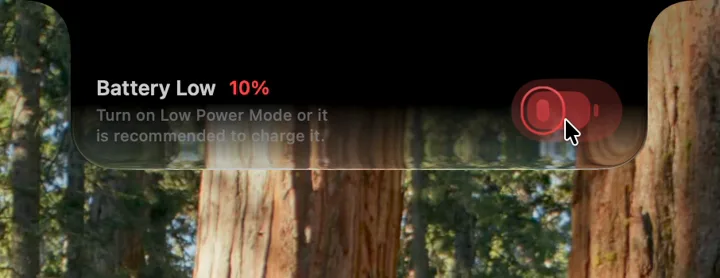
MacBook battery health, honestly
What a charge cycle really is, how to read your own battery condition, and the handful of things that actually matter. Minus the myths.
Shelf apps: the missing middle step in Mac file management
Dragging a file across Spaces, windows, and folders is the clumsiest thing you do on a Mac. Shelf apps fix it with a simple idea: a place to put things down.
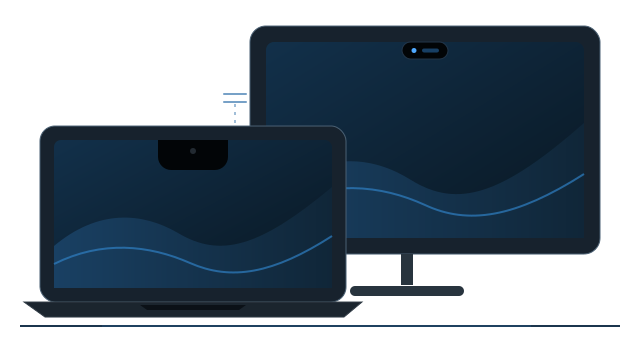
MacBooks, external displays, and the notch: a setup guide
What happens to your notch utilities when you plug in a monitor, how to arrange displays so nothing gets lost, and the settings that make mixed setups feel coherent.

The best clipboard manager for Mac in 2026
Maccy, Paste, Raycast's built-in history, and Droppy's clipboard, compared on the things that matter daily: speed, search, privacy, and staying out of your way.

Window management on the Mac: Mission Control, Spaces, and Stage Manager
Mission Control, Spaces, Stage Manager, and now real window tiling. Most people use one and ignore the rest. How to make them cohere.
Live Activities, the Droppy way
A timer counting down at the notch, live album art, a battery you notice, transcription and coding progress. Glanceable state where your eyes already are.

The best free Mac apps in 2026
You can fix most of macOS's small annoyances for free before you ever pay for anything. A curated shortlist, grouped by the problem each one solves.

Your menu bar is full. Here's how to fix it.
Between the notch and a dozen background apps, menu bar real estate ran out years ago. Strategies and tools for getting it back under control.

How Droppy animates, and why it matters
One spring system, glass that morphs instead of popping, a cushioned notch, and a hard rule about Reduce Motion. A look inside how the notch feels.

Live activities on the Mac: the iPhone feature macOS never got
Timers, deliveries, scores, and now-playing state all live at the top of an iPhone. The Mac has more screen and less glanceable state. That gap is closing.
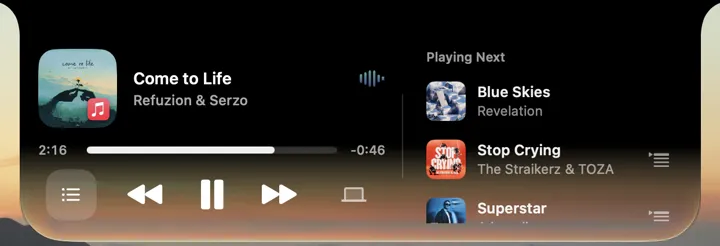
Control Spotify and Apple Music without leaving your work
Skipping a track shouldn't mean finding a window. Every way to control playback on a Mac, from media keys to notch players, including lyrics and AirPlay.

What the Mac still gets wrong about notifications
macOS notifications are stuck between a banner in your face and a pile you never open, parked in the one corner you're not looking at.
When AirDrop won't cooperate: faster ways to move files
AirDrop is great until it silently isn't. Quick fixes for the usual failures, plus reliable alternatives for getting files to any device or any person.

The quiet cost of subscription software
Charge a subscription when you're running a service. Charge once when you're selling a tool. On the quiet cost of renting software you use every day.

Droppy Cloud: share a file from the top of your screen
A file is already in your Shelf. Share it, get a link, and the other person opens a clean page to grab it. No attachment, no AirDrop standoff.

Why your MacBook has a notch
The 2021 MacBook Pro redesign gave the Mac its most argued-about pixels. What the notch actually is, what lives inside it, and why it turned out to be useful.

Make your Mac feel fast again
Most 'speed up your Mac' advice is junk-cleaner snake oil. The few settings and habits that genuinely make it feel snappy again.

Drag and drop tricks every Mac user should know
Spring-loaded folders, proxy icons, dragging onto Dock icons, and the other decades-old tricks hiding inside macOS that most people never find.

Native by design: why Droppy is a small, fast Mac app
A tool that lives at the top of your screen all day is the wrong place for a bundled browser engine. Why Droppy is native Swift, and where web tech still wins.

The ideas behind Droppy
One-time pricing, native performance, and treating the notch as a place instead of a gimmick. The principles that decide what ships and what gets cut.